
Auto-discovery
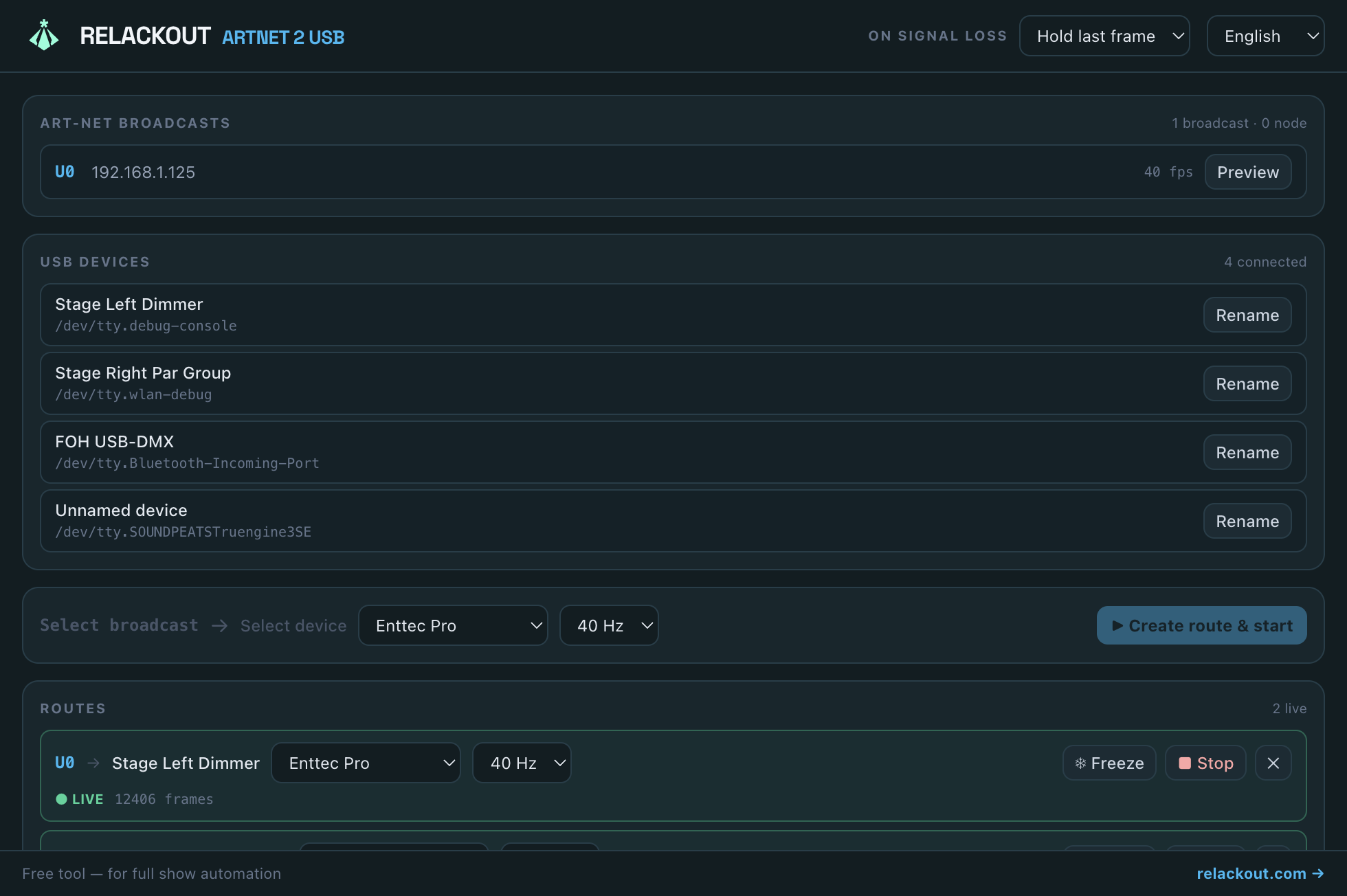
Passively listens on UDP 6454 and lists every Art-Net universe broadcasting on your network, with source IP and live frame rate.
A tiny, free companion app from the Relackout team: it finds Art-Net universes on your network and routes any of them to any USB DMX interface — Enttec DMX USB Pro or Open DMX / FTDI. No account, no installer nags, no catch.
Free forever, open source (MIT). Part of the Relackout lighting control ecosystem.
Windows (x64)
Portable .exe — no installer, just run it.
macOS (Apple Silicon) (arm64)
DMG — drag & drop, no installer.
macOS (Intel) (x64)
DMG — drag & drop, no installer.
Linux (x86_64)
AppImage — single file, chmod +x and run.
Linux (arm64)
AppImage — single file, chmod +x and run.
Most lighting software speaks Art-Net over the network, but plenty of USB DMX interfaces — Enttec's USB Pro, generic Open DMX / FTDI dongles — still need something on the desk to receive that network signal and push it out over USB. Relackout ArtNet 2 USB is exactly that: a small, focused bridge you keep running in the background. It costs nothing because it's meant to make the whole Art-Net ecosystem — including consoles and software that aren't Relackout — easier to work with.
Passively listens on UDP 6454 and lists every Art-Net universe broadcasting on your network, with source IP and live frame rate.
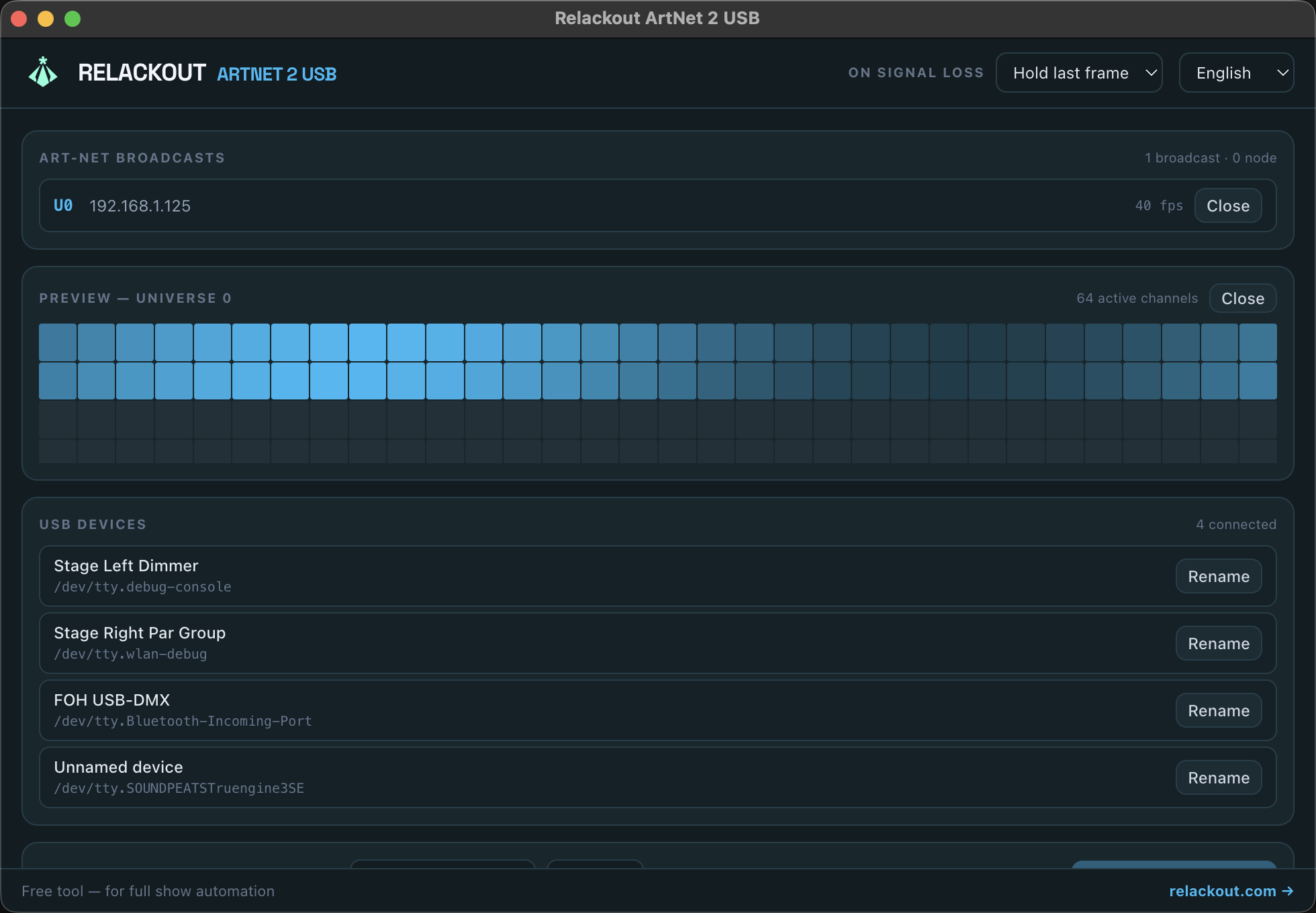
Open any discovered universe and watch all 512 channels update in real time before you route anything.
Interfaces are remembered by their hardware identity (vendor, product, serial number) — rename once, and the name and routing survive being unplugged and moved to a different port.
Speaks the Enttec DMX USB Pro protocol and raw Open DMX / FTDI output — the two most common USB DMX interface families.
Set each route to anywhere from 10 to 44 Hz to match your interface and fixtures.
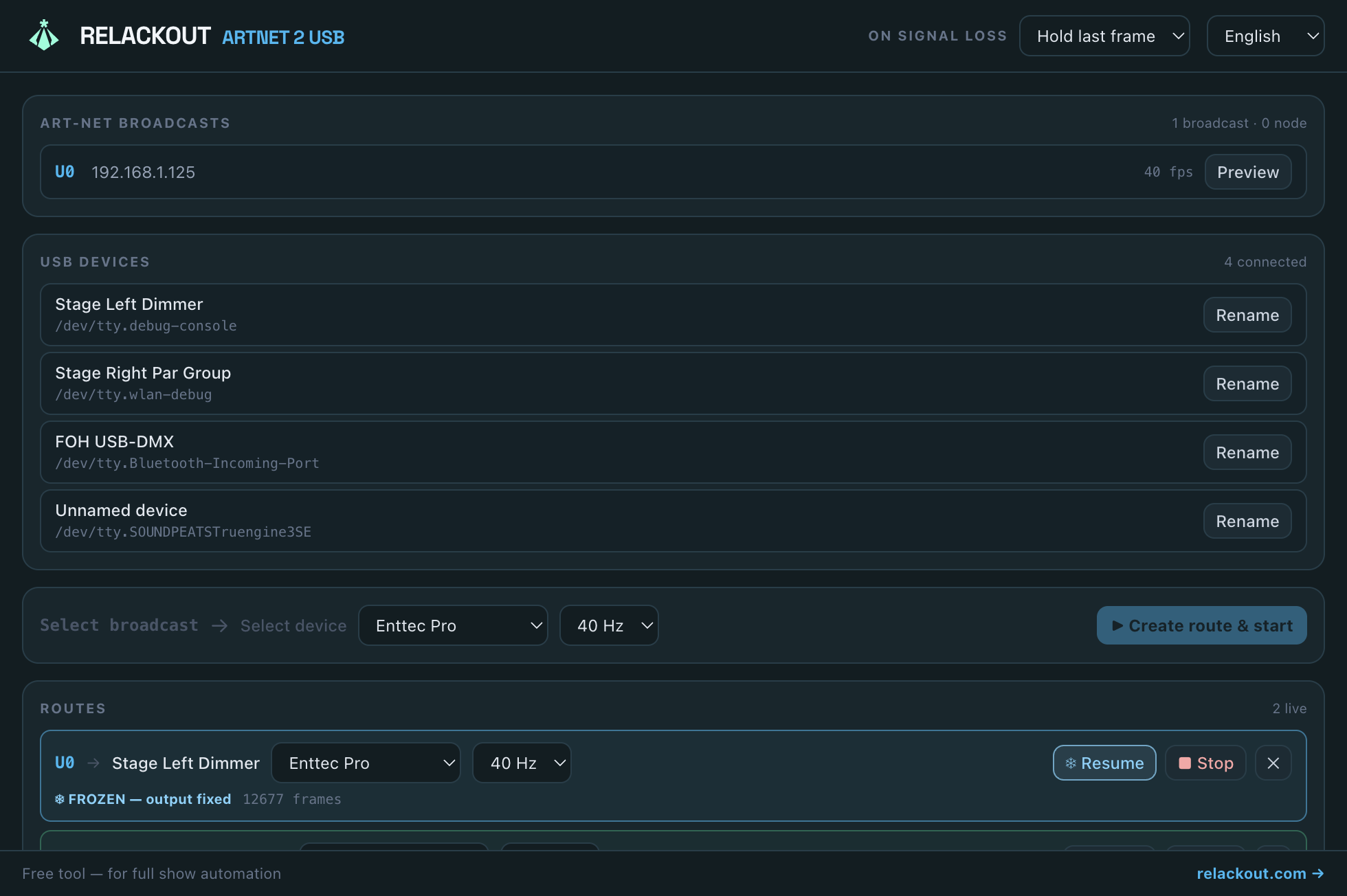
Lock the current DMX frame on demand — the output holds steady while you make network changes upstream, then resume live with one click.
STEP 1
Launch the app — it immediately lists every Art-Net universe it sees on your local network.
STEP 2
Click a broadcast, click a connected USB interface, choose a protocol and refresh rate.
STEP 3
One click builds the route and starts sending — stop, freeze, or delete it anytime.
Artnet to USB also ships as a headless command-line tool — the same routing engine and the same shared config file as the desktop app, with zero UI. It's built for a Raspberry Pi tucked behind a truss, a backstage server with no monitor attached, or scripting a whole rig's setup ahead of a show.
artnet2usb-cli auto finds the one Art-Net universe and USB device on the machine, saves the route, and starts bridging — no prompts, no screen needed.
Set up routes in the GUI and run them headless with the CLI, or the other way around — both read and write the exact same config file.
route add / list / remove flags let you provision routes from a shell script or Ansible playbook — no interactive wizard required.
install-service generates a systemd unit (Linux) or a launchd agent (macOS) so the bridge comes back automatically after a reboot or a crash.
doctor flags disconnected devices, conflicting universes, and out-of-range settings before they turn into a problem on stage.
Compensate for a fixture's own DMX start address or a console's channel numbering directly in the route config — no channel data is ever dropped, it wraps instead.
Windows (x64)
Single .exe — no install required.
macOS (Apple Silicon) (arm64)
Single binary — no Node.js, nothing to extract.
macOS (Intel) (x64)
Single binary — no Node.js, nothing to extract.
Linux (x64)
Single binary for Intel/AMD servers and desktops.
Linux (arm64)
Single binary — Raspberry Pi 4/5 (64-bit OS) and other ARM64 devices.
Linux (Raspberry Pi) (armv7l)
Static single binary for 32-bit Raspberry Pi OS — no dependencies.
If no route is configured yet, artnet2usb-cli auto needs no setup at all: it listens for Art-Net traffic and scans connected USB devices for about three seconds. When it sees exactly one Art-Net universe and exactly one USB DMX interface, it saves the route and starts bridging immediately — no prompts, no screen, no config file to hand-edit. If it sees zero or more than one of either, it prints exactly what it found and exits, so you can fall back to configure for manual setup. Run auto again later (for example on every boot, via install-service) and it reuses the same saved route instead of creating a duplicate — and any protocol, refresh rate, or channel offset you've since tuned by hand is preserved unless you explicitly pass the flag again.
| Flag | Default | Description |
|---|---|---|
| --protocol <enttec-pro|open-dmx> | open-dmx | Which USB DMX protocol to speak: a genuine Enttec DMX USB Pro widget, or a generic Open DMX / FTDI interface. |
| --hz <n> | 40 | Output refresh rate in Hz, 1 to 44. |
| --channel-offset <n> | 0 | Circular channel patch offset, -511 to 511. Compensates for a fixture's own DMX start address or a console's channel numbering — channels rotate, none are ever dropped. |
| --config <dir> | shared with the desktop app | Use a different config directory instead of the one shared with the desktop app. |
| --no-start | off (starts immediately) | Only detect and save the route — don't start bridging. |
| --json | off | Print newline-delimited JSON status lines instead of human-readable text — for log collectors and monitoring. |
Yes. It’s a free, standalone tool from the Relackout team — no account, no trial period, no feature paywall. It works independently of a Relackout license.
Enttec DMX USB Pro and compatible clones, plus generic Open DMX / FTDI interfaces. Support for more protocols may be added over time.
No. It runs completely standalone and requires no login or license — it just needs Art-Net on your network and a supported USB interface plugged in.
Yes. Each Art-Net universe can be routed to its own USB interface independently, each with its own protocol and refresh rate.
You choose the behavior per app: hold the last received frame, or blackout the output, until the Art-Net signal returns.
The desktop app ships today for Windows (portable .exe), macOS (Apple Silicon and Intel), and Linux (AppImage for x86_64 and arm64). The headless CLI covers the same platforms, including Raspberry Pi (arm64 and armv7l).
Same routing engine, same config file — the desktop app has a window with live channel previews and point-and-click setup; the CLI has no UI at all and is meant for headless machines like a Raspberry Pi. You can mix both: configure routes in one and run them in the other.
No. Every CLI download is a single self-contained binary — a matching Node.js runtime is compiled in, so there is nothing to install and no archive to extract.