Relackout
Relackout v2

Stage Light & Audio Control.

Production-ready control for venues, theatres, live events, and installed systems. One app for lights, scenes, cues, multi-layer effects, sound-reactive looks, a full-show timeline, live 3D stage preview, music, and show notes on your custom mixer—synced with tempo, MIDI, and OSC.

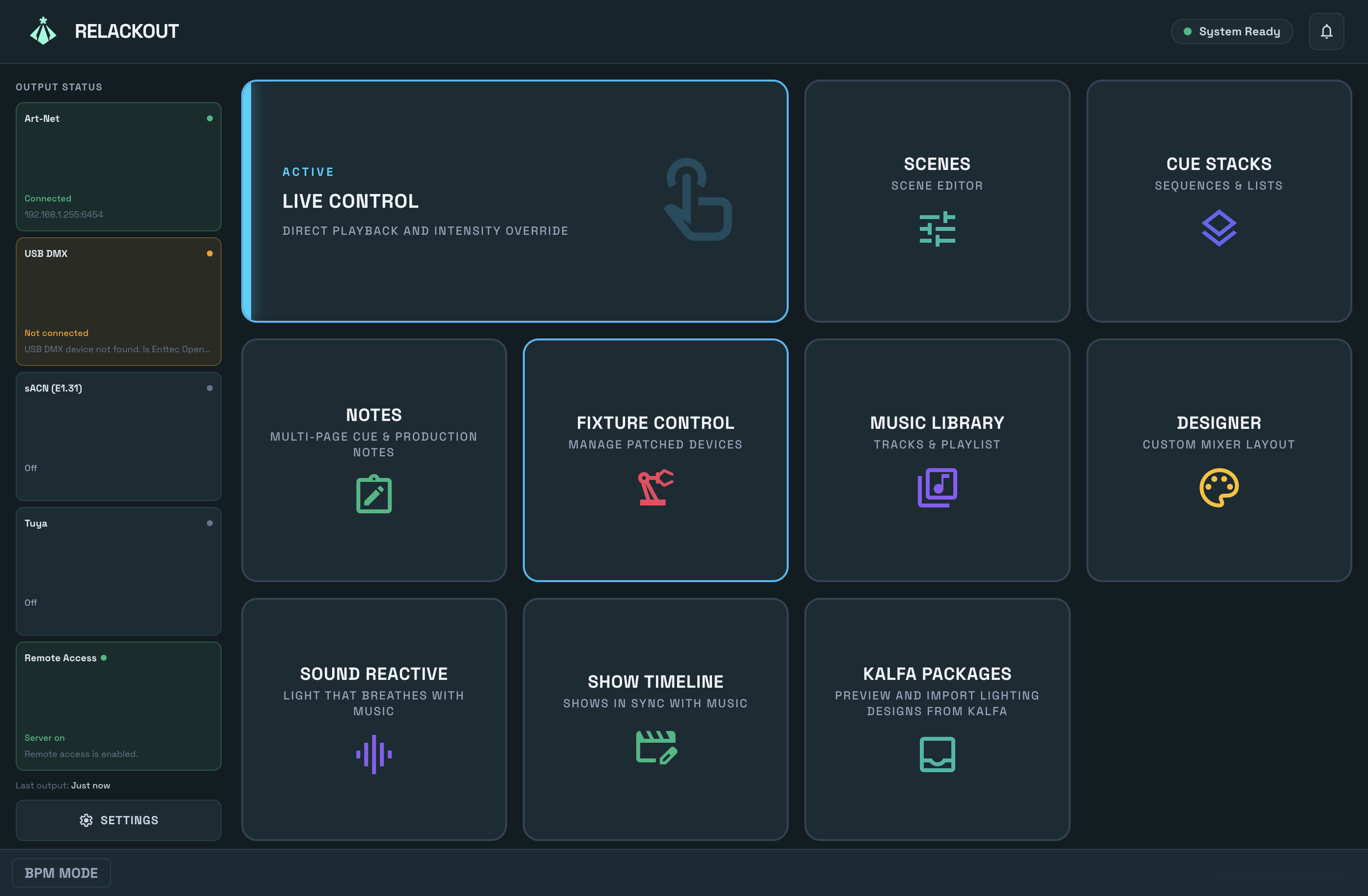
Relackout dashboard and main interface
settings_input_component Direct Playback

Live Control

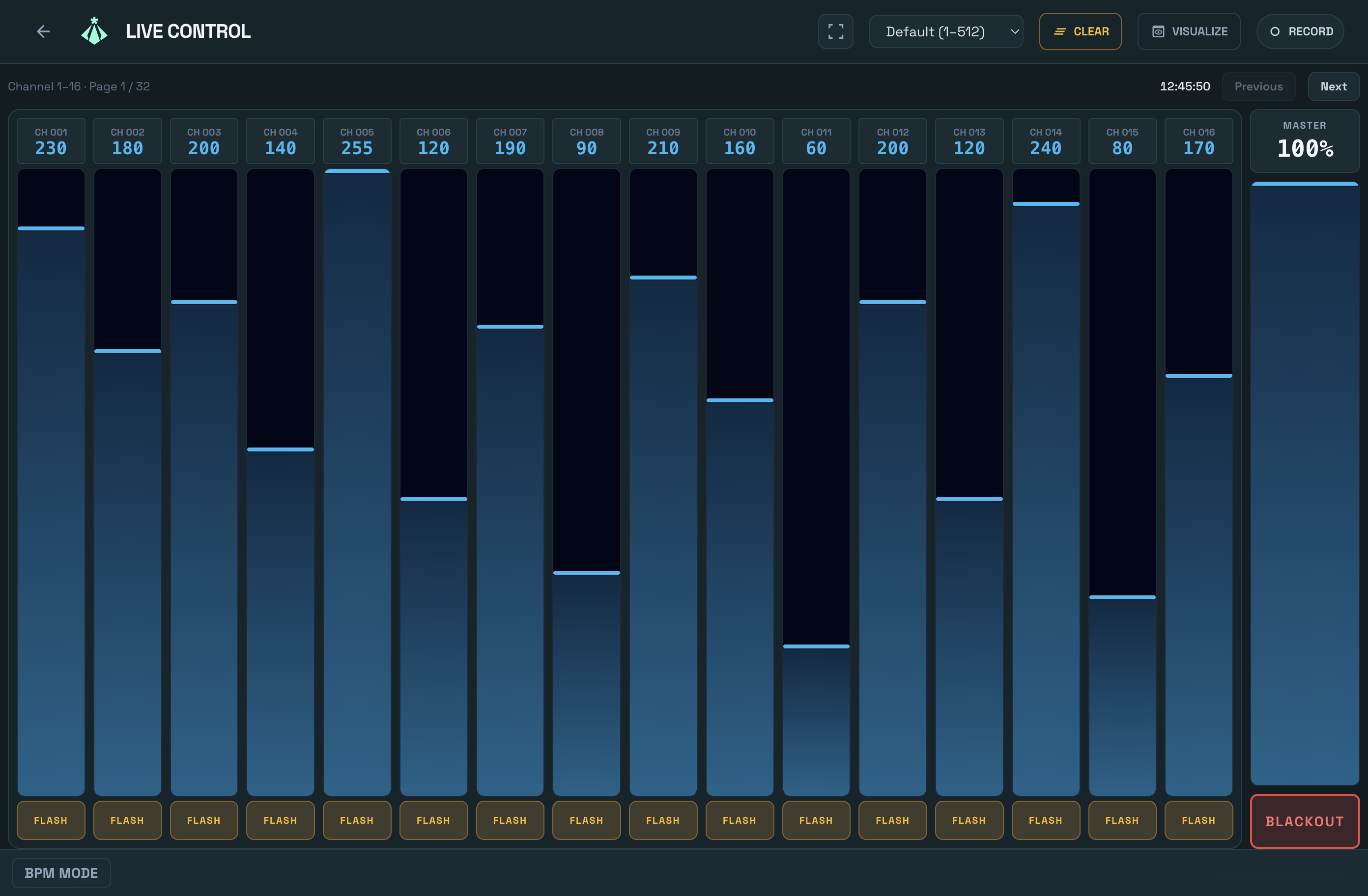
Direct control of intensity and live values. Trigger scenes and cue stacks, blackout, and clear. Layout mode uses your custom Mixer Designer layout for faders, buttons, cues, and Notes widgets linked to your show documents.

  • check_circle Touch-optimized interface for faders and buttons
  • check_circle Scene and cue list triggers, GO/Back
  • check_circle Notes widget: page through multi-page documents without leaving Live
  • check_circle Optional fullscreen mode for show operation
Close up of live control faders in the Relackout UI with neon active states
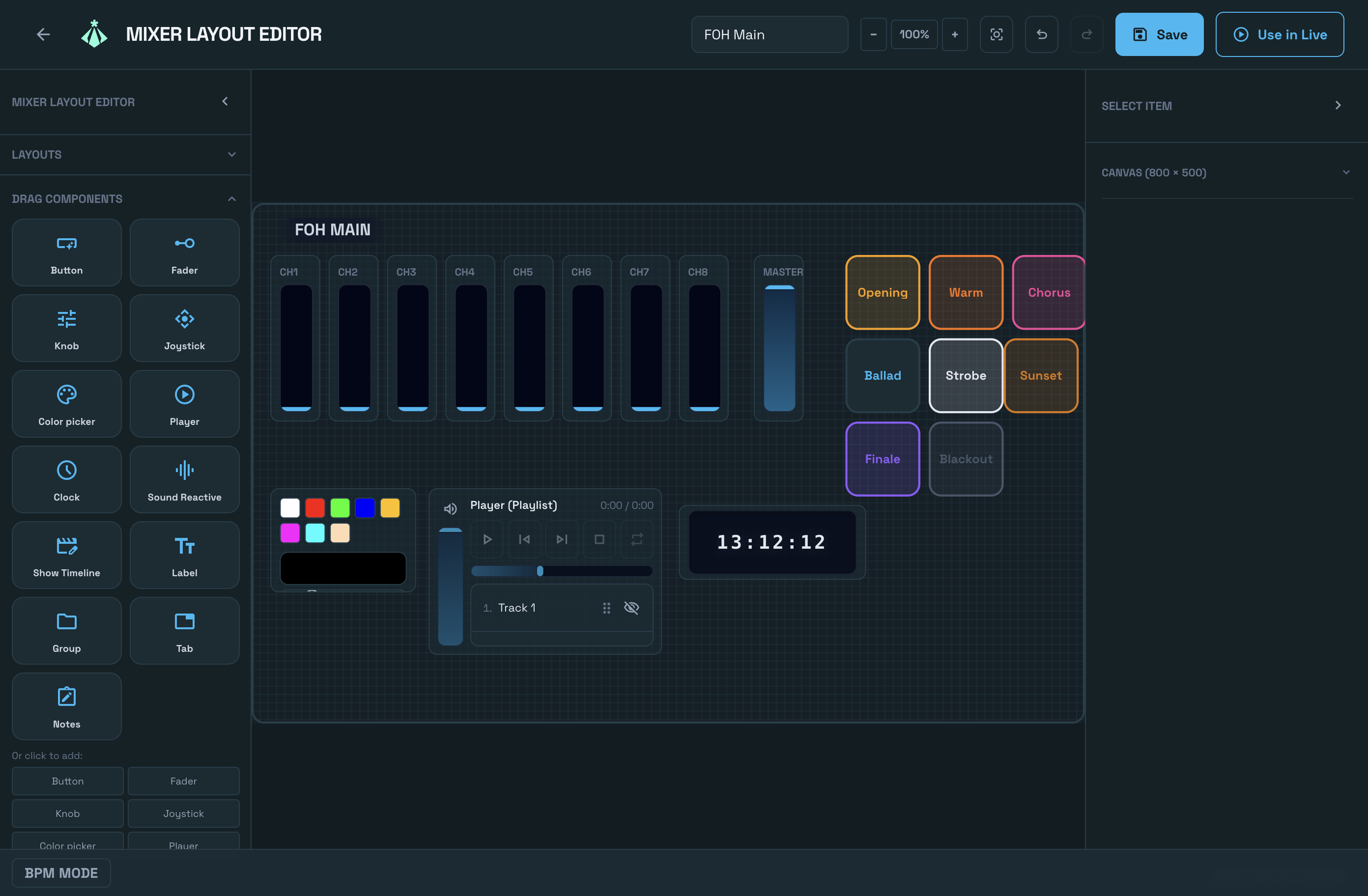
Mixer Designer custom layout with faders, buttons and cue list
palette Scenes & Layouts

Scene Designer & Mixer

Record scene snapshots from Live Control and edit channel values and fade times. Build step loops and cue lists with configurable step duration and fade. Design custom mixer layouts with faders, buttons, scene and cue triggers, music players, and Notes widgets tied to multi-page documents you author in the app. And experiment freely—undo/redo (Cmd/Ctrl+Z) works across the editors, from scene values to patch changes and cue steps.

Scene Designer

Snapshot recording, channel edit, fade in/out.

Cue Stacks

Step loops, GO/Back, loop mode.

Show Notes

Create note documents with multiple pages and rich text. Drop a Notes widget on the mixer canvas, pick a document, then turn pages during the show—ideal for script sides, cue notes, or production reminders.

auto_awesome Effect Engine

Effect Wizard

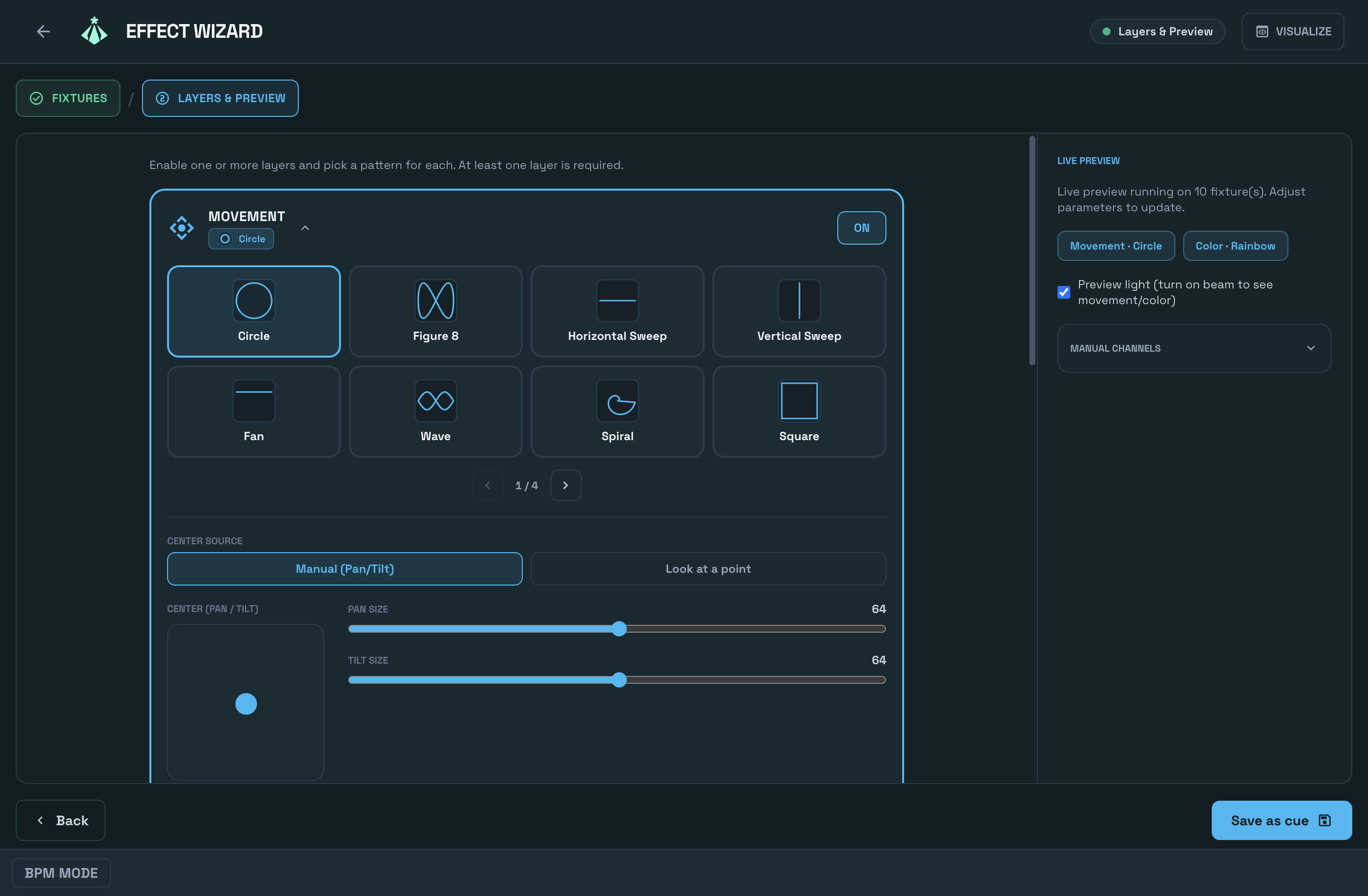
Design moving-light effects in two steps: select fixtures, then combine layers. Three independent layers for movement, intensity, and color—63 built-in patterns total—are sampled together with live preview. Symmetry, phase, convergence (look-at), and ready-made palettes build complex looks in seconds; save them as recipes and reuse.

  • check_circle 3 layers: 29 movement, 19 intensity, 15 color patterns
  • check_circle Symmetry (mirror pan) and phase sources: sequence, odd-even, left-right, center-out
  • check_circle Convergence: fixtures aim at a single point (look-at + calibration)
  • check_circle 8 ready color palettes, live SVG preview, save/load recipes
Effect Wizard multi-layer effect design screen
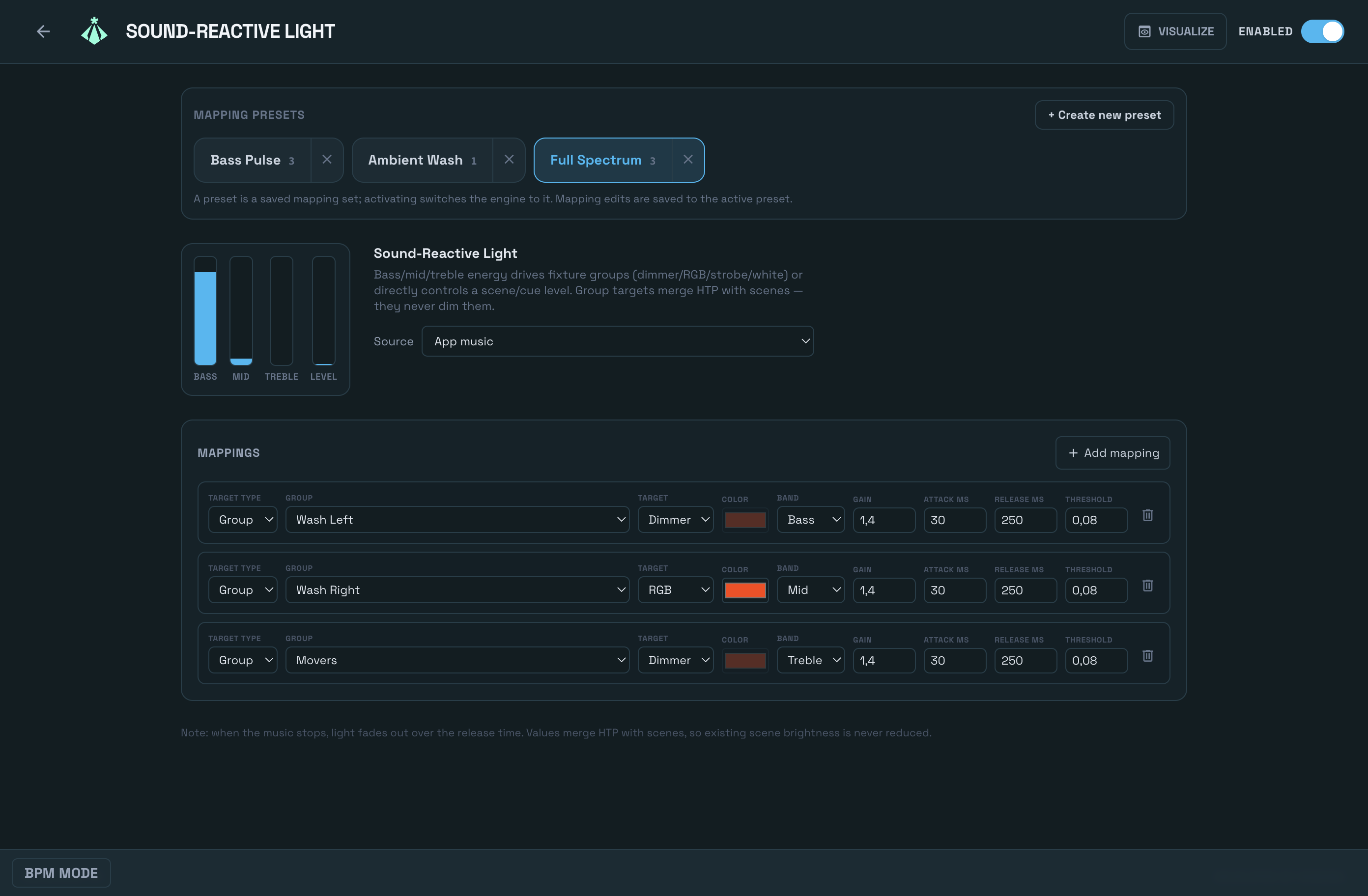
Sound-to-Light audio-reactive mapping screen
graphic_eq Audio Reactive

Sound-to-Light

Let the music run the lights. Sound-to-Light listens to what's playing—tracks from your music library or a mic/line-in feed—and drives your fixture groups in real time: dimmer pulses, color shifts, and strobe hits that land on the beat. It can trigger scenes and cues too. Save mappings as named presets and switch them live from the touch-ready Sound Reactive widget on your mixer.

  • check_circle App music or mic/line-in as the audio source
  • check_circle Drives group dimmer, RGB color, and strobe from the music
  • check_circle Triggers scenes and cues from the audio
  • check_circle Named presets with a touch-ready selector on the mixer
timeline Show Programming

Show Timeline

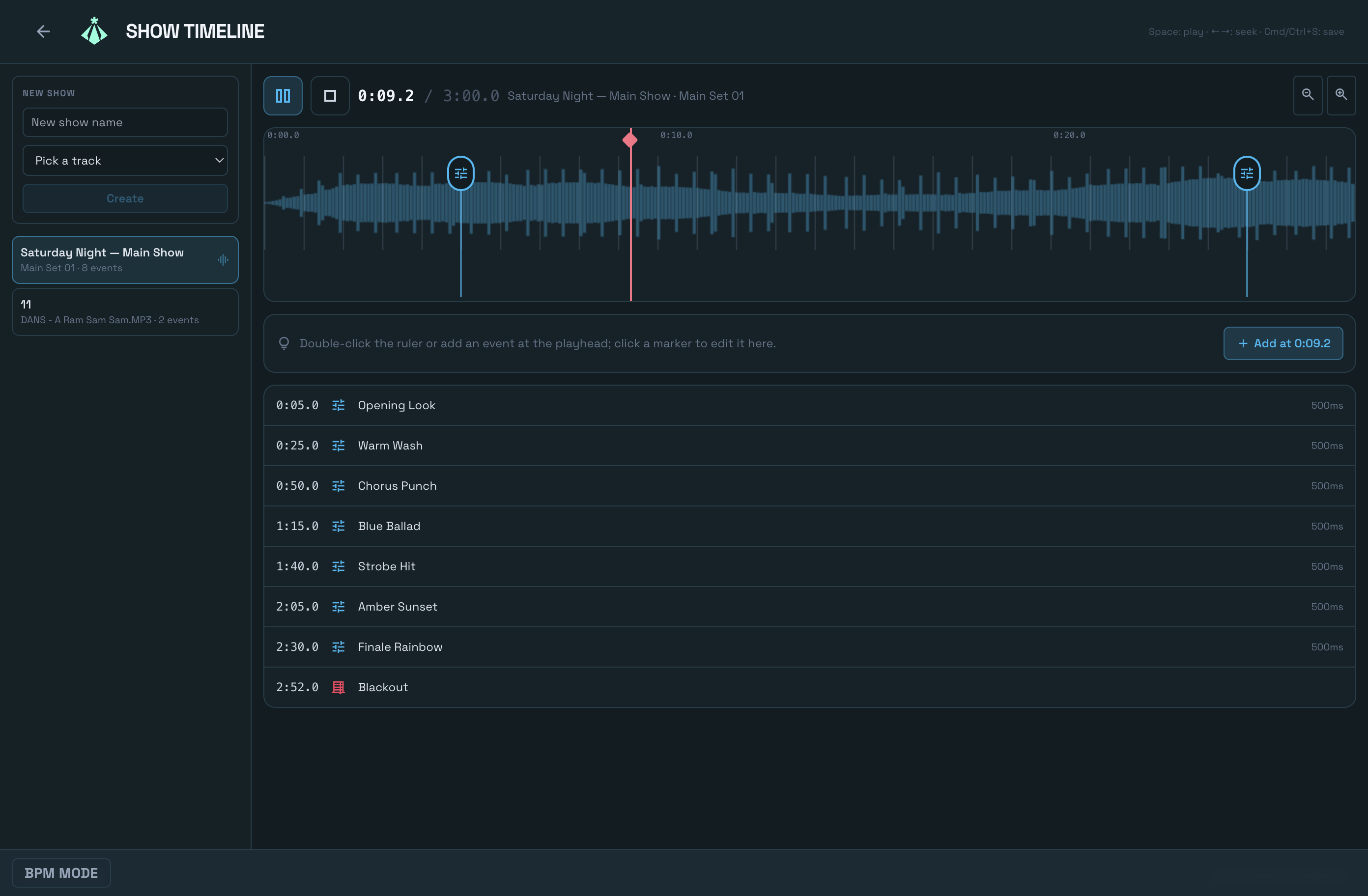
Program the whole night before the doors open. The Show Timeline lays audio tracks and cue events side by side on one multi-track timeline: drag events into place with snap editing, line lighting changes up with the music, and press play. Playback is page-independent—the show keeps rolling while you patch, edit scenes, or work anywhere else in the app.

  • check_circle Audio tracks and cue events on one multi-track timeline
  • check_circle Snap editing for beat-accurate placement
  • check_circle Playback keeps running on every page
  • check_circle Ideal for pre-programmed sets, theatre acts, and full-night shows
Show Timeline with audio and cue tracks
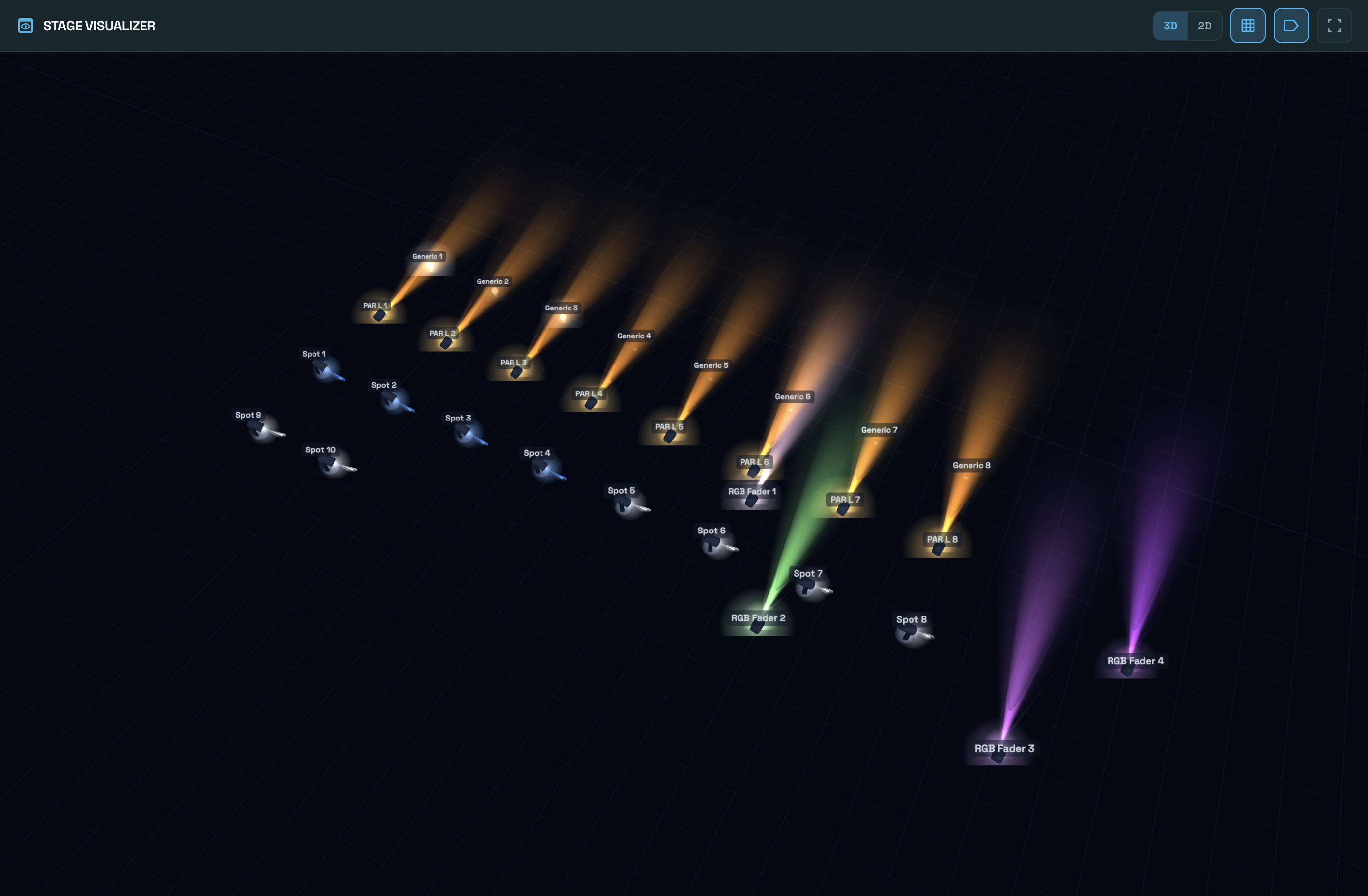
3D stage visualizer rendering the live DMX output
view_in_ar Live Preview

3D Stage Visualizer

See your show before—and while—it happens. The 3D Stage Visualizer draws your stage with hardware-accelerated 3D graphics and lights it with the actual DMX output: beams move, colors change, and strobes fire exactly as your fixtures do. It opens in its own window, so you can keep it on a second display while you program or perform.

  • check_circle Live 3D rendering of your real DMX output
  • check_circle Beams, colors, and intensity follow your fixtures in real time
  • check_circle Opens in a separate window—ideal for a second display
  • check_circle Program and pre-visualize without a rig connected

Art-Net, sACN, USB DMX, Remote & Mixer Designer

DMX output over network or USB, mobile remote, smart lighting, and custom mixer layouts.

hub

Art-Net, sACN & USB DMX

DMX output the way your rig needs it: Art-Net or multicast sACN (E1.31) over the network for 1–4 universes (512 channels each), plus USB DMX dongles (Enttec Open DMX compatible). Connect multiple USB devices and assign each one its own universe—or mirror one universe to several outputs—with hot-plug awareness. Connector status appears on the Dashboard.

1–4 universes · Art-Net 4 · sACN E1.31 · Multiple USB DMX devices
settings_remote

Remote Control

The main console runs a server on the local network; the mobile remote app (phone or tablet) connects to the same network and signs in with a PIN. Control faders, scene and cue triggers—and do real work there too: the Remote Scene Designer edits scenes from a tablet, and the touch-first cue transport drives GO/Back from your palm. Quick connect via QR code or address list.

PIN sign-in · Local network · Scene editing · Cue transport

wb_iridescent

Tuya Smart Lights

Import devices from your Tuya cloud project (iot.tuya.com) into the library and patch. Tuya devices are patched like DMX fixtures: channel values are converted to Tuya commands. LAN discovery and control; map channels to color, brightness, on/off and other properties.

Tuya Cloud · LAN discovery · DMX → Tuya mapping

palette

Mixer Designer

Build your own control surface with Mixer Designer: drag-and-drop faders, buttons, knobs, color pickers, scene/cue triggers, music players, Notes widgets, master light/audio, and groups. Save layouts and use them in Live Control with “Layout mode”. Touch-friendly, pixel-based canvas.

Custom layouts · Fader, button, scene, cue, music, notes · Use in Live

Comprehensive Management

One ecosystem for every aspect of your show.

lightbulb
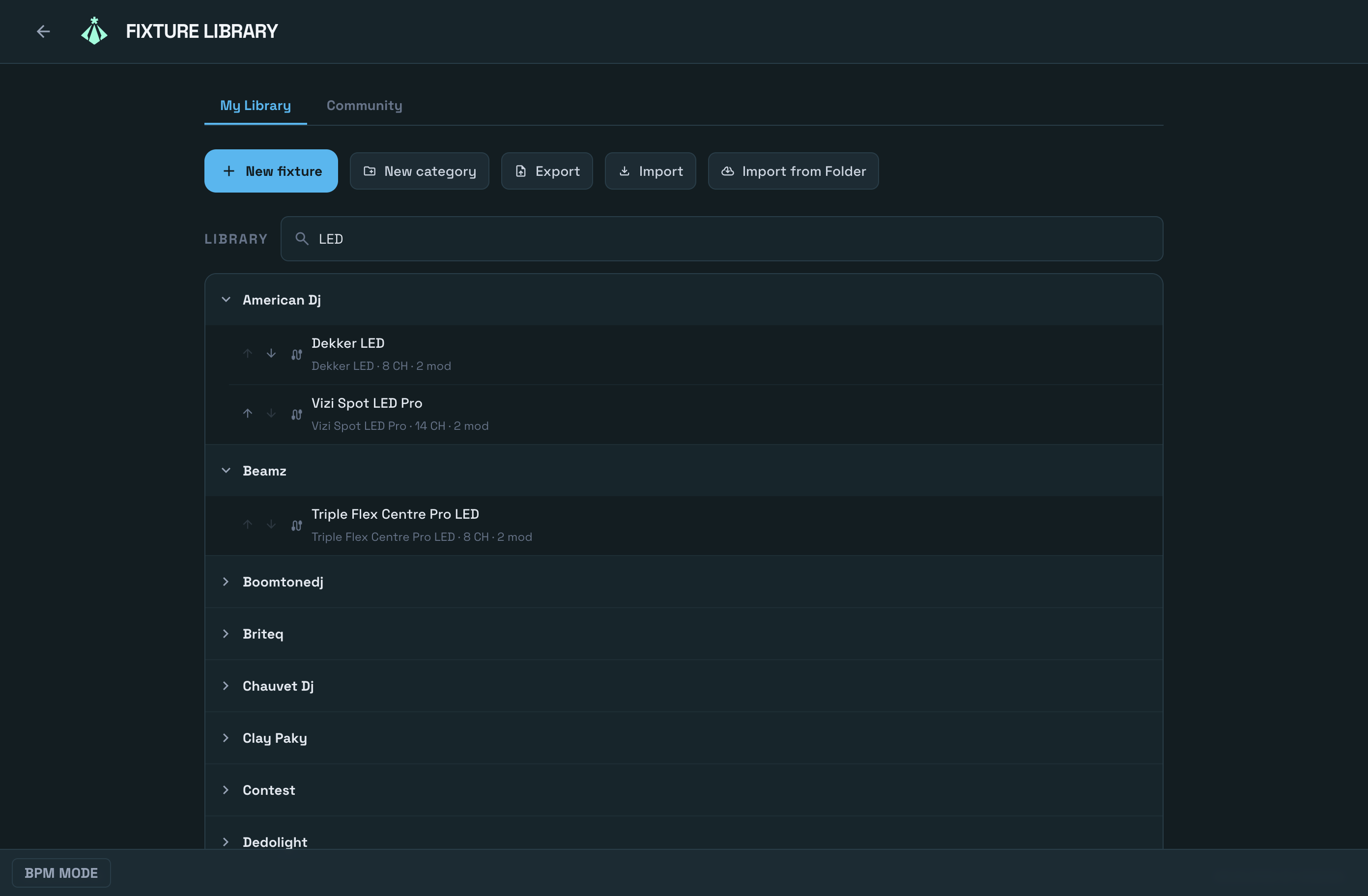
Fixture library with categories and community profiles

Patch, Library & Fixture Control

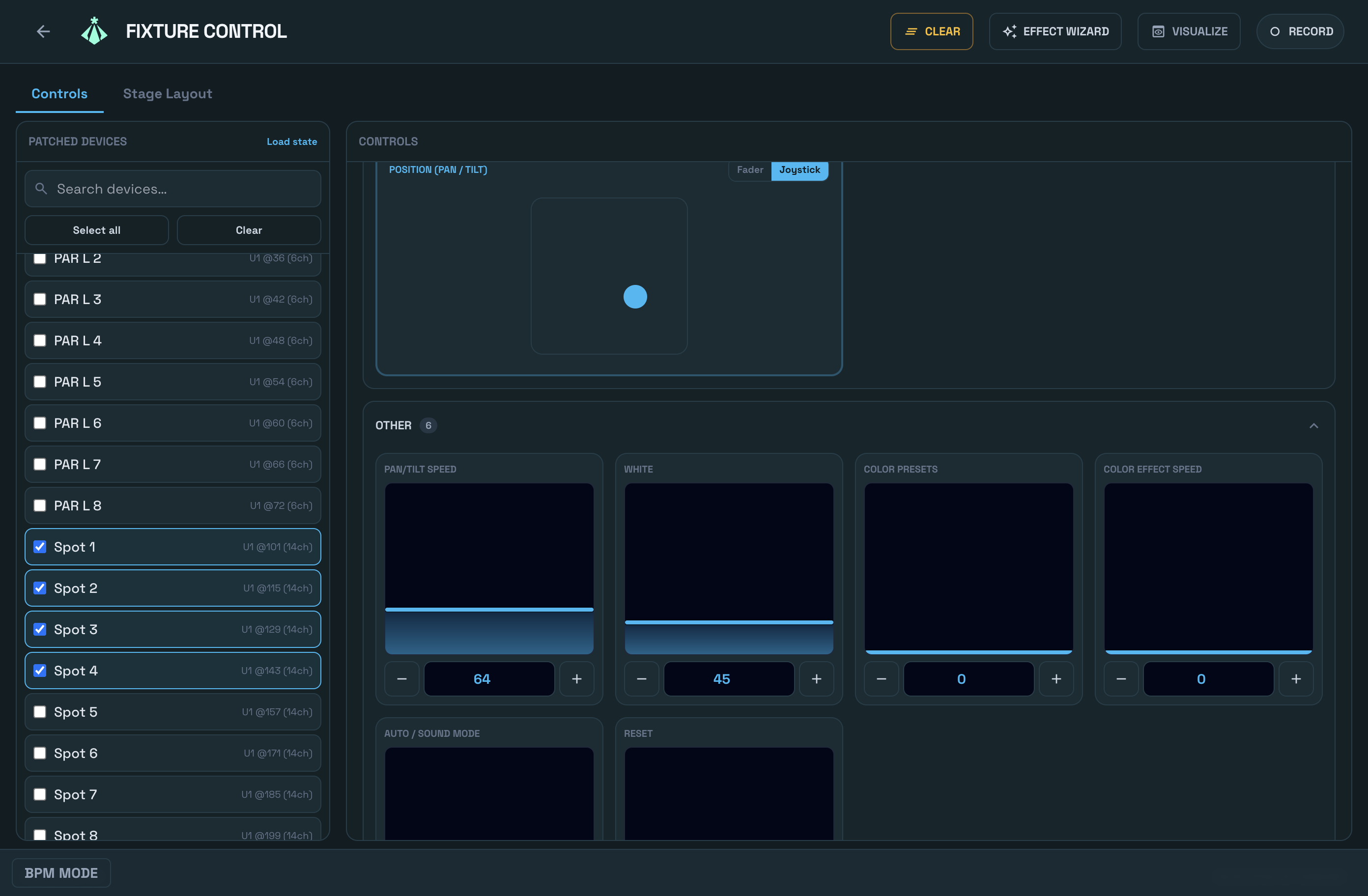
Fixture library with categories, OFL import, and the Community Fixture Library: shared profiles from other users—each reviewed before release—downloadable in one click, or publish your own from inside the app. Patch fixtures to universes; then use Fixture Control to select multiple patched devices and control them—pan/tilt, RGB, intensity—from one screen, on desktop or via touch mobile/tablet remote.

1–4 universes sensors
music_note
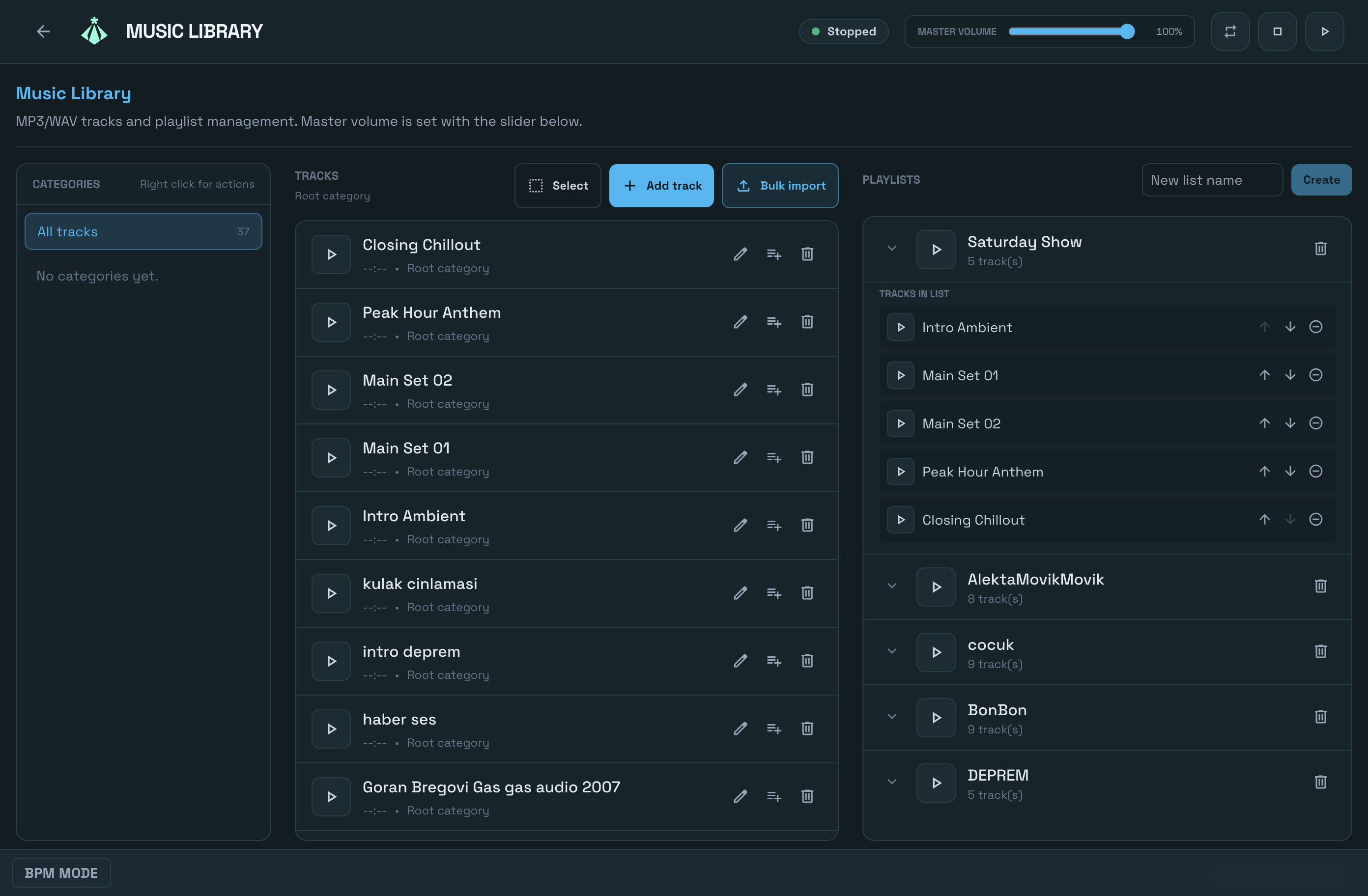
Music library with tracks and playlists

Music Library

MP3/WAV tracks and playlists with bulk import from files or folders. Master volume control. Use music players in the Mixer Designer for your show.

Tracks & Playlists graphic_eq
edgesensor_low

Mobile Remote

Leave the booth. Control your entire rig from an iPad or smartphone with our low-latency remote app.

PIN sign-in wifi
sticky_note_2

Show Notes

Write multi-page note documents in the app. Add a Notes widget to any mixer layout and flip pages while you operate cues—script, blocking, or operator notes stay next to your controls.

Rich text · Multi-page description
Fixture Control: multiple patched fixtures controlled from one screen
Fixture Control — select any number of patched fixtures and shape pan/tilt, color, and intensity together, on desktop or from a tablet.

Control & Sync

Beat-locked effects and external control surfaces—via MIDI and OSC.

speed

Tempo & BPM

Central tempo clock: lock effects to the beat with tap-tempo, preset tempos, and quantize. Live BPM tracking and MIDI Clock sync keep your show in time with the music.

Tap · Quantize · Live BPM · MIDI Clock

piano

MIDI Control

Native MIDI input. Assign faders, buttons, and scenes to physical controllers with learn/bind. With MIDI feedback the sync runs both ways—your controller's LEDs and motorized faders follow what happens in the app. Tempo sync via MIDI Clock and Mixer Designer shortcuts.

Binding · Learn · Two-way feedback · MIDI Clock

settings_input_antenna

OSC Control

OSC input over UDP. Secured with an IP allowlist; runs alongside MIDI and shares the same control surface. Control from TouchOSC and similar apps.

UDP · OSC 1.0 · IP allowlist

Technical Infrastructure

Relackout is built on a high-performance Electron framework, optimized for modern multi-core processors. The touch-first interface is quick to learn, and Relackout is actively developed with frequent updates.

macOSWindows 11
Connectivity

DMX512, Art-Net, sACN & USB DMX

Up to 4 universes (512 channels each) via Art-Net or multicast sACN (E1.31). Multiple USB DMX devices, each assigned its own universe. Tuya smart devices patched via DMX.

Engine

40Hz Lighting Output

Deterministic lighting engine with HTP/LTP blending. Stable output for long-running shows.

Framework

Electron

Desktop app for macOS and Windows. React UI, SQLite database.

Remote

Mobile Remote App

Connect from phone or tablet over local network via PIN. Faders, cue transport, and scene editing with the Remote Scene Designer.

Features FAQ

What is the difference between Art-Net and USB DMX?

Art-Net and multicast sACN (E1.31) are ideal for network-based multi-universe workflows; USB DMX interfaces plug straight into the console—connect several devices and assign each one its own universe.

Can I run custom mixer layouts in live shows?

Yes. Mixer Designer layouts can be saved and used directly in live operation with touch-friendly controls.

Can Relackout create moving-light effects?

Yes. The Effect Wizard builds multi-layer effects from movement, intensity, and color patterns, with symmetry, phase, convergence (look-at), and ready palettes — saved as reusable recipes.

Does Relackout support MIDI, OSC, and tempo sync?

Yes, in every plan. Relackout has native MIDI input (learn/bind), OSC over UDP, and a tempo clock with tap-tempo, MIDI Clock sync, and live BPM tracking to beat-lock effects.

Explore Related Product Pages

Ready to light up the night?

Download the free trial of Relackout and experience the power of industry-leading control.